
Lumi Drama
StorySparkPersonalization
2.16.00 Reviews
- Version
- 4.1
- Installs
- 10.00K
- Age Rating
- Everyone
Screenshots
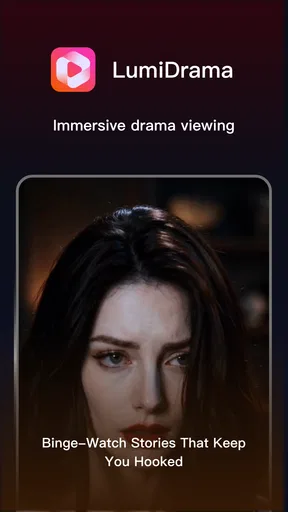
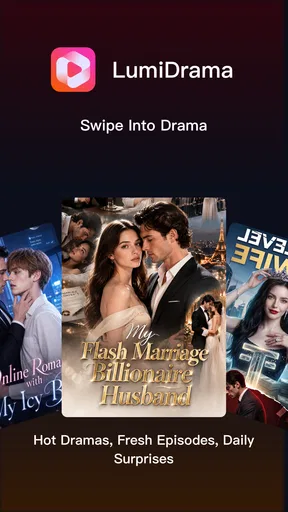
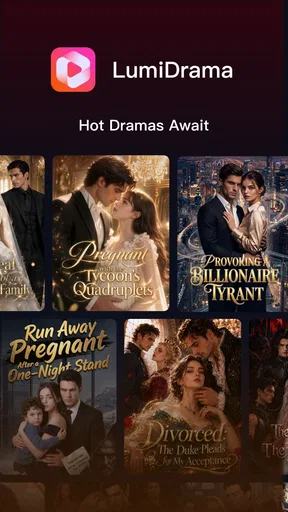
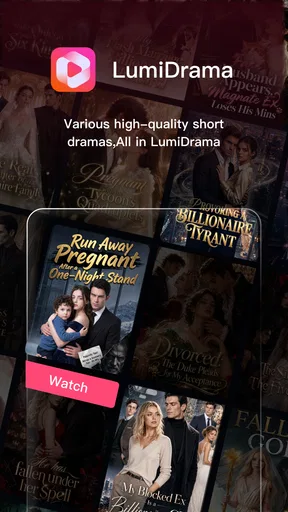
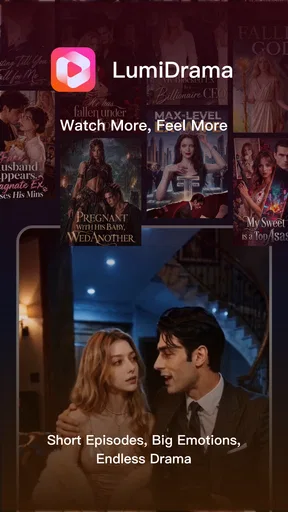
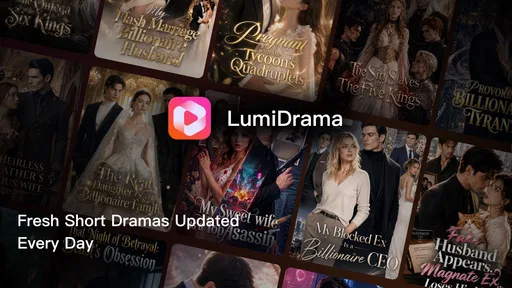
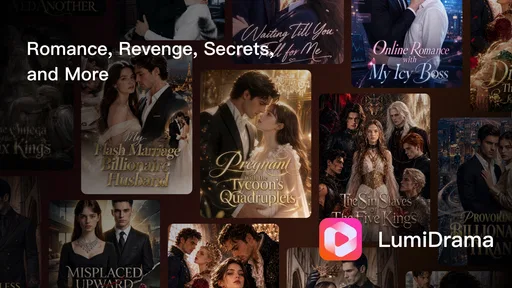
Our Review of Lumi Drama
 Analysis by Appyee
I tried Lumi Drama as a quick entertainment app for watching short-form drama on a phone, and my first impression was very clear: it is built around immediate browsing rather than careful planning. You open it, look through story choices, and decide within moments whether something deserves your attention. That makes it appealing when I have only a few minutes, but it also means the experience depends heavily on how smoothly the app can keep the next piece of content moving.
Developed by StorySpark, this free personalization app is aimed at people who want dramatic stories in a compact format. It runs on Android devices using version 7.0 or later, and the current release is 4.1. The age classification is Everyone, so its broad presentation is easy to understand, although a general age label should not be mistaken for a guarantee that every individual storyline will suit every viewer.
How Lumi Drama feels when the connection is doing the work
The central appeal is the low commitment. Instead of sitting down for a full film or opening a traditional streaming service with a long list of programs, I can swipe through short dramas and sample the mood quickly. That format works especially well during a commute, a lunch break, or the few minutes before an appointment. I do not need to remember where I left off in a long season before deciding whether I want to watch.
The same design creates its main weakness. Short drama apps depend on a steady flow of media, and the quality of that flow is affected by the network around me. On a strong connection, the swipe-first approach feels light and responsive. On a crowded public network or an inconsistent mobile signal, the simple act of moving from one story moment to the next can become the part I notice most.
I found that this changes how I judge the app. With a conventional reading app, a brief delay may be easy to ignore. With Lumi Drama, the pause arrives exactly when the app is trying to preserve momentum. A dramatic scene needs continuity, so a loading interruption feels more disruptive than it would in a static personalization tool. The app’s concept is fast, but the real-world experience is only as fast as the connection supporting it.
That does not make it a poor choice. It simply means I would use it differently depending on where I am. At home or on a reliable network, I can treat it as a casual entertainment feed. In a place where connectivity is uncertain, I would open it with more modest expectations and avoid starting a story when I have almost no time available.
Why the swipe format works in short sessions
The strongest part of the concept is how quickly it reduces the effort required to begin watching. Many streaming alternatives ask me to compare thumbnails, read descriptions, check episode lengths, and decide whether a full program is worth the investment. Lumi Drama puts more emphasis on discovery. I can sample a story, continue if it catches my interest, and move on if it does not.
That is useful for viewers who do not want entertainment to become another decision-making task. I can imagine using it while waiting for a coffee order: I would rather watch a compact dramatic scene than spend the entire break searching through a large catalog. The trade-off is that a swipe-based system encourages quick judgments. If I am impatient, I may leave a story before its setup has had time to develop.
This is also where the app differs from ordinary personalization apps. Its category label may place it alongside tools that change a device’s appearance or behavior, but the practical experience is closer to an entertainment feed. I would not install it expecting wallpapers, launchers, widgets, or system customization. Its personalization angle is about tailoring what I watch through repeated choices, not changing the look of my phone.
For me, the best approach is to treat the first swipe as a screening tool rather than a final verdict. A short opening can be designed to create curiosity, while the more interesting payoff may come later. If a story has a tone I enjoy but starts slowly, giving it a little more time can produce a better experience than making every decision instantly.
Using it in ordinary mobile situations
A realistic use case is a fragmented day. I might have ten minutes between errands, then another short window later. A long movie is inconvenient in that situation because I may spend too much time getting settled and remembering the plot. Short dramas fit those gaps more naturally, provided the connection is stable enough for the viewing session.
On a phone, I would also pay attention to where I hold the device and how much concentration I can give the screen. This is not the kind of experience I would choose while crossing a street, cooking, or doing anything that requires visual attention elsewhere. The swipe interaction makes it easy to continue, but that convenience can encourage mindless scrolling. I get more from the app when I decide in advance whether I want a single story break or an open-ended browsing session.
Another useful habit is to begin with a connection check rather than immediately blaming the app for a delay. If other media services are also struggling, the problem is probably the environment. If everything else is working normally and only the next drama transition hesitates, restarting the app may be worth trying. This simple distinction prevents me from judging the storytelling format based on a temporary network problem.
People sharing a limited mobile plan should be especially deliberate. Video can consume more data than text-based entertainment, and the app’s short format may make it easy to watch several pieces without noticing how long the session has become. I would avoid leaving it running automatically in the background of a busy day and would use it in planned bursts when I need to keep consumption under control.
What happens when the network fails
The most important practical question for me is not whether the app looks appealing in ideal conditions, but how gracefully it handles an imperfect connection. A brief interruption can affect discovery, playback, or the handoff between story segments. When that happens, the experience loses the effortless quality promised by the swipe model.
I would respond in stages. First, I would wait briefly rather than repeatedly swiping, because rapid input during a delay can make it harder to tell whether the app has registered the action. Next, I would check whether the phone has moved between Wi-Fi and mobile service. If the connection is available again but the screen remains stuck, closing and reopening the app is a reasonable recovery step.
This is not glamorous advice, but it is useful because the app is designed for quick sessions. A viewer who has only a few minutes may not want to troubleshoot. If the first attempt fails during a short break, I would switch to something already available on the phone rather than spend the entire break trying to restore the feed. That is a genuine limitation of connection-dependent entertainment: convenience disappears quickly when recovery takes longer than the viewing window.
I also would not assume that a previously seen story will always be easy to recover after an interruption. When using a feed built around discovery, I prefer to pay attention to the title or central premise of anything I genuinely want to find again. That small habit reduces frustration if I accidentally move past a promising drama or if the app needs to be reopened.
Another point is that network failure and content dissatisfaction can look similar. If a scene stops at an awkward moment, I might initially think the story itself is weak. Before making that judgment, I would check whether the transition actually completed. The app is best assessed after the media has loaded properly, not during a partial or interrupted handoff.
Keeping mobile data and attention under control
Because Lumi Drama is free to install, it is easy to start casually. The financial barrier is low, but free access does not remove the practical costs of connectivity, screen time, or optional purchases. The app includes in-app items ranging from $0.49 to $199.99 each, so I would approach any purchase prompt carefully and make sure I understand what I am selecting before confirming it.
That wide purchase range is important for the way I would recommend the app. Someone looking only for occasional free viewing should not assume that every part of the experience will feel identical to someone willing to pay for extras. I would begin without spending, learn how the viewing flow works, and decide later whether any paid element genuinely improves my use. A low entry price for an individual item can still become meaningful if several small decisions accumulate.
For data-conscious viewing, I would use the app intentionally rather than treating it like an endless background feed. A practical routine would be to set a short personal limit, stop once the planned break is over, and avoid repeated browsing when I am only mildly interested. This is not just about data usage; it also protects the quality of the experience. When every story is consumed while distracted, the app can feel repetitive even if the individual dramas are enjoyable.
I would also keep the phone’s broader data controls in mind. If my device offers a way to monitor application usage, checking Lumi Drama after a few sessions can reveal whether my actual habit matches my expectation. That is more useful than guessing from one short viewing period. Since the app’s appeal is built around “just one more” discovery, awareness matters more here than it would with a single, fixed piece of content.
There is a trade-off between convenience and control. A large streaming platform may offer more familiar account tools or viewing organization, while Lumi Drama’s lighter discovery style may get me to a story faster. If I care most about carefully managing downloads, building a long watchlist, or planning viewing around limited connectivity, I would favor an alternative designed around those controls. If I care more about quick discovery, the simpler flow may be preferable.
Who will enjoy it, and who should choose something else
I would recommend Lumi Drama to viewers who enjoy compact dramatic stories and like choosing by instinct. It suits people who often have short breaks, prefer phone-sized entertainment, and do not want to commit to a full-length program before they know whether the mood is right. It is also a reasonable option for someone curious about a swipe-based way to browse drama rather than a conventional catalog.
I would be more cautious recommending it to viewers who need dependable access in places with poor service. If a story cannot maintain momentum because the connection keeps changing, the app’s biggest strength becomes its most obvious weakness. The same applies to anyone who wants a fully organized library, detailed long-form viewing, or a calm reading experience rather than a rapid sequence of choices.
It may also be a poor match for people who dislike purchase prompts or who prefer to avoid apps with a broad range of optional spending. The free starting point is useful, but I would still read each screen carefully and keep purchasing decisions separate from the excitement of a cliffhanger. Entertainment is a bad moment for making an impulsive payment.
Compared with a normal video streaming service, Lumi Drama feels less like a scheduled evening activity and more like a pocket-sized discovery tool. Compared with social video feeds, it has a clearer dramatic purpose, but the swipe habit can still encourage quick consumption. Compared with personalization tools that modify a phone’s appearance, it serves an entirely different need. Choosing it makes sense only if short drama is what I actually want from the app.
My view after weighing the full experience
StorySpark has made a focused choice with this app: reduce the distance between opening the service and watching a dramatic story. That focus is valuable, especially on a phone, and I like the way it fits naturally into small gaps in the day. The experience feels most convincing when the network is stable and I am in the mood to browse without overthinking every selection.
The connection issue is not a minor detail. It shapes the pace, the ability to recover from interruptions, and even how much I enjoy the stories. I would use it on reliable service, keep an eye on mobile data, and avoid assuming that a free install means there are no later spending decisions. Those habits make the experience more predictable.
With an average rating of 2.1 from around 41 ratings and 6 reviews, the public response is currently mixed, so I would approach it as an app to test personally rather than an automatic recommendation for everyone. It has passed 10 thousand installs, which shows that people are trying the concept, but the numbers do not replace seeing whether its short-drama rhythm suits me.
My final verdict is cautiously positive for the right viewer. Lumi Drama is worth trying if I want fast, swipe-led drama during reliable mobile sessions and I am comfortable managing my attention, connection, and purchase choices. I would skip it in favor of a more established streaming or offline-oriented option if dependable access and detailed viewing control matter more than instant discovery. The app’s best feature is its simplicity, but that simplicity works only when the surrounding conditions let it stay simple.
Verdict
Strengths of Lumi Drama
- Large catalog of Asian dramas and entertainment content
- Simple interface makes browsing and discovering titles easy
- Regular updates add new episodes and series
- Supports subtitles for a more accessible viewing experience
- Works well for casual streaming on mobile devices
Limitations of Lumi Drama
- Some content may be unavailable depending on your region
- Video quality can vary between individual titles
- Ads may interrupt viewing for users on the free version
- Subtitles may occasionally contain translation or timing errors
- Some features may require an account or paid subscription
Similar Picks in This Category
View All
Microsoft SwiftKey AI Keyboard
SwiftKey4.3

Wallpapers
Google LLC4.1

Zedge™ Wallpapers & Ringtones
Zedge4.7

Yandex Browser with Alice AI
Direct Cursus Computer Systems Trading LLC4.3

Ringtone Maker:create ringtone
Big Bang Inc.4.7

Fonts Keyboard
Fonts Keyboard3.9
Frequently Asked Questions
What is Lumi Drama, and what type of content does it offer?
Lumi Drama is an entertainment app focused on watching drama-based content, such as serialized shows, romantic stories, short-form episodes, and other narrative videos. Its exact catalog may vary by region and over time. Before downloading, users should check the current description, supported languages, content categories, and whether the titles they want to watch are available in their country.
Is Lumi Drama free to download and use?
Lumi Drama may be available to download at no initial cost, but some content or features can require in-app purchases, a subscription, advertising-supported access, or virtual credits. The most convenient way to confirm the current pricing is to review the app-store listing and the purchase screen before subscribing. Users should also check renewal terms and cancellation requirements.
Does Lumi Drama require an account or personal information?
Depending on the version and the features being used, Lumi Drama may allow limited browsing without registration but require an account for watching, saving progress, synchronizing data, or making purchases. During setup, the app may request information such as an email address or login credentials. Review its privacy policy and permissions carefully, especially if you prefer to minimize the personal data you share.
Can I watch Lumi Drama content offline or on multiple devices?
Offline viewing and multi-device access depend on the app’s current features, account system, and licensing restrictions. Some services permit selected episodes to be downloaded temporarily, while others require an active internet connection for streaming. If you plan to watch while traveling, verify whether downloads are supported, how long they remain available, and whether your viewing history synchronizes across Android and iOS devices.
Is Lumi Drama safe for children and suitable for all ages?
Lumi Drama may include romantic themes, emotional conflicts, mature dialogue, or other content that is not appropriate for younger viewers. The available age rating can differ between Google Play and the App Store, and individual titles may have their own suitability concerns. Parents should review the rating, content descriptions, privacy practices, and any parental-control options before allowing children to use the application.
